A customer places an order online. Before the business can fulfil it, several systems must agree on pricing, stock availability, credit status and delivery schedules. When those systems exchange incomplete or outdated information, even a well-designed customer experience can break down.
For enterprises running SAP alongside cloud applications, partner networks and legacy software, integration determines how reliably these processes work. As organizations expand their use of cloud services and AI, connecting applications becomes a question of business performance as much as technical compatibility.
The investment outlook reflects this demand. According to a report published by Research and Markets forecasts that the global ERP system integration and consulting market will expand by $15.24 billion between 2025 and 2030, at a compound annual growth rate of 10.1%. The dollar figure represents the projected increase in market size over the period.
For IT leaders, the practical challenge is turning integration spending into faster processes, dependable data and manageable operating costs.
Why multi-cloud makes SAP integration harder
A multi-cloud environment gives organizations access to different infrastructure options and specialist services. However, each additional platform introduces interfaces, permissions, data formats and operational dependencies that teams must manage.
An SAP application may hold financial records while a separate CRM manages customer relationships and an external platform processes online orders. Differences in customer identifiers, product codes or update schedules can create inconsistent records across these systems.
Distance also matters. Cross-cloud communication adds network dependencies and can introduce latency or data transfer costs. Meanwhile, separate monitoring tools make it harder to identify where a transaction failed.
Connecting every application directly to every other application compounds the problem. Over time, individually useful interfaces can become a network of undocumented dependencies that is expensive to change.
Design around business processes
An effective integration strategy starts with a business outcome: Reducing order delays, accelerating financial reconciliation or improving inventory accuracy.
Map the complete process before choosing tools. Identify where information originates, which systems need it, how quickly they need it and who owns its accuracy. This establishes the requirements for both architecture and measurement.
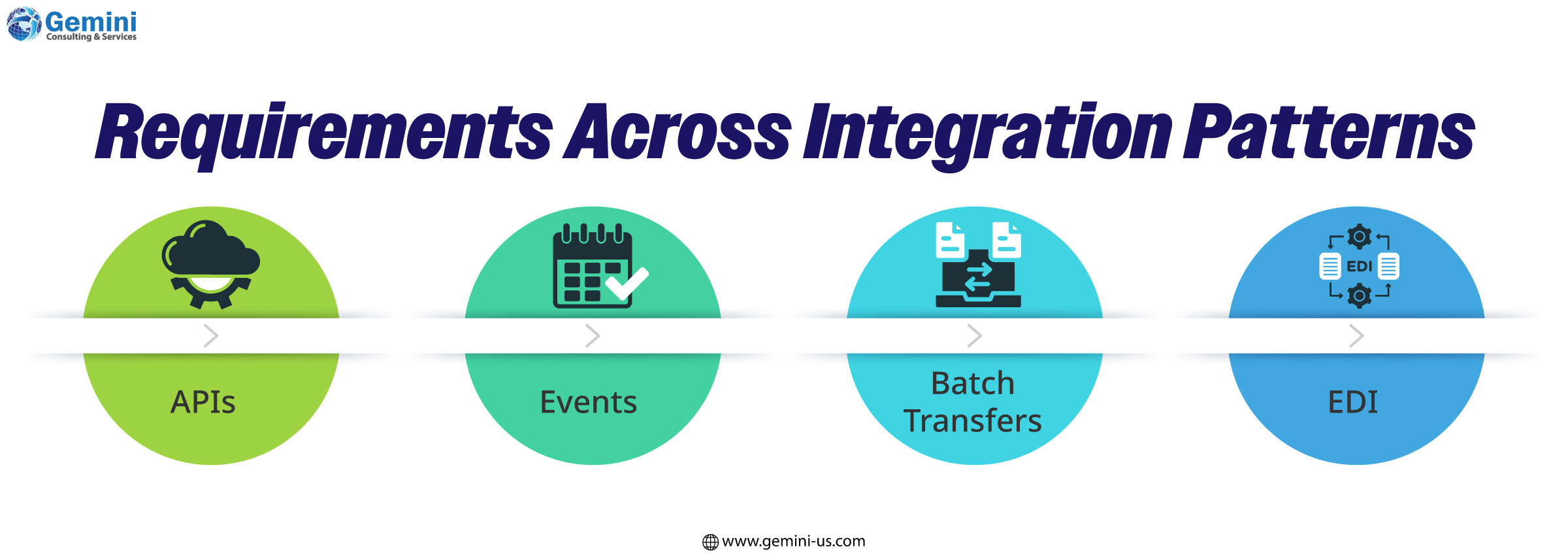
- APIs provide controlled access to business functions and information.
- Events notify other applications when a business change occurs.
- Batch transfers suit scheduled exchanges where immediate updates add little value.
- EDI supports structured transactions with trading partners.
For example, a checkout service may need an immediate availability response, while a reporting platform can receive consolidated updates overnight. Matching the pattern to the process helps control complexity and cost.
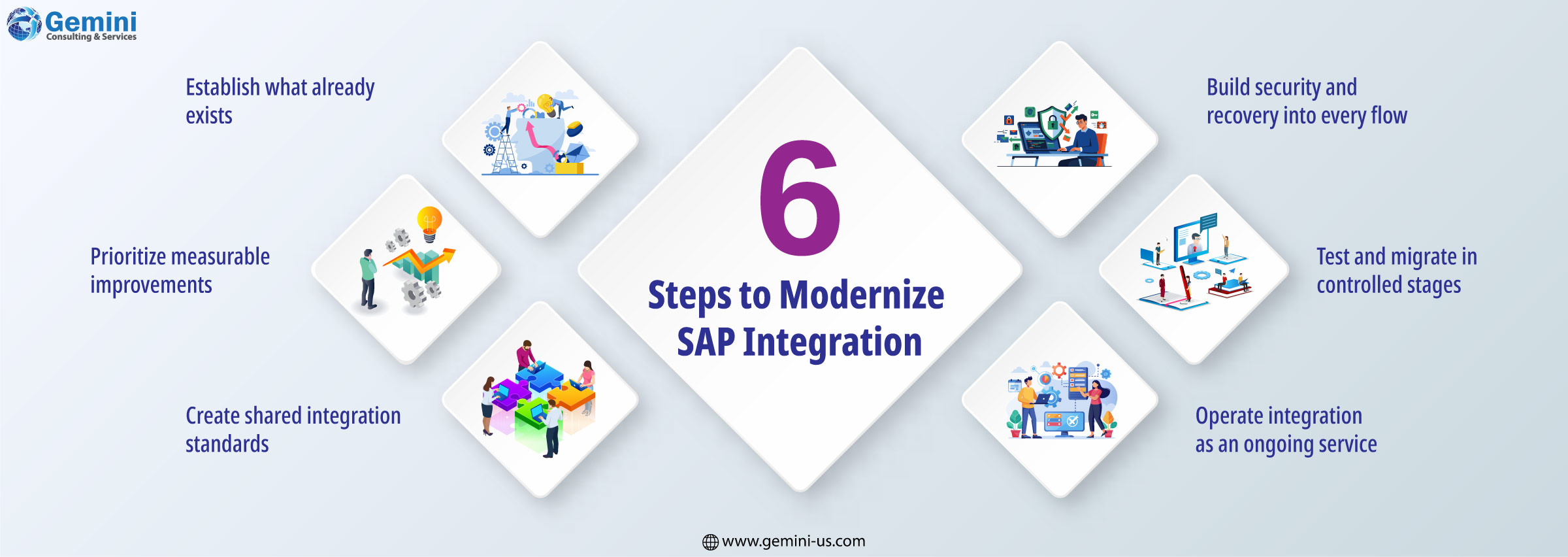
1. Establish what already exists
Build an inventory of interfaces, connected applications, data owners and business dependencies. Include custom scripts, file transfers and manual workarounds that may sit outside formal architecture documentation.
Assess each integration for transaction volume, failure frequency, maintenance effort and business importance. Identify duplicate connections, unsupported components and interfaces whose purpose is unclear.
The result should be a usable baseline for deciding what to retain, redesign or retire.
2. Prioritize measurable improvements
Select initial projects that combine clear business value with manageable delivery risk. A frequently failing customer-data interface may offer a better starting point than a wholesale replacement of middleware.
Define success before implementation. Useful measures include processing time, reconciliation exceptions, failed transactions, recovery time and the effort required to introduce a change.
Assign business and technical owners so that decisions about data, priorities and acceptance criteria have clear accountability.
3. Create shared integration standards
Establish reusable rules for API design, message formats, authentication, versioning and error handling. Define common business identifiers and document how data changes as it moves between applications.
An integration platform can help teams apply these standards consistently. SAP Integration Suite, for example, provides capabilities for connecting SAP and non-SAP applications, managing APIs and exchanging business events across cloud and on-premises environments.
Evaluate platform suitability against actual requirements, including connectivity, deployment location, operational skills and expected workloads. Prebuilt content can reduce implementation effort but still needs validation against local processes and customizations.
4. Build security and recovery into every flow
Define which applications and users can access each data set and grant only the permissions they need. Protect credentials, encrypt communication and maintain useful audit records.
Reliability requires equal attention. Plan how integrations will handle unavailable applications, delayed responses and malformed messages. Use controlled retries, exception queues and duplicate detection where appropriate.
If an order message is resent after a timeout, the receiving system should recognize the repeat rather than create a second order. These details directly affect business confidence in the integration.
5. Test and migrate in controlled stages
Validate complete business journeys alongside individual interfaces. Testing should cover data mapping, peak volumes, access controls, outages and recovery.
Include business users in acceptance testing. A message can arrive successfully while still carrying an incorrect tax code or delivery address.
Move integrations in stages, with reconciliation checks and a defined rollback procedure. Where temporary parallel operation is necessary, establish how duplicate processing will be prevented.
Retire superseded interfaces once their replacements are stable and accepted. Otherwise, maintenance costs and operational ambiguity can persist after migration.
6. Operate integration as an ongoing service
After deployment, monitor transaction completion and data freshness alongside technical availability. A running interface may still be delivering information too late to support the business.
Give support teams clear alerts, troubleshooting guidance and escalation routes. Trace transactions across systems so that teams can investigate failures without manually piecing together separate logs.
Periodically assess resource capacity, subscription usage and cloud data transfer charges. Build in-house expertise through training and maintain clear records of design choices to limit reliance on individual specialists.
Prepare data for AI use
AI initiatives make integration quality more consequential. A forecasting application needs consistent product and transaction data. An operational assistant needs authorised access to relevant information with enough context to interpret it correctly.
Define freshness requirements for each use case. Some decisions require current events; others can use scheduled updates. Apply validation, preserve data lineage and restrict access according to the sensitivity of the information.
Where AI can initiate actions, establish approval rules and transaction controls. Retrieving an order status and changing an order require different levels of oversight.
With more than a decade of SAP experience, Gemini Consulting & Services helps enterprises integrate SAP systems and AI capabilities through solutions tailored to their business needs. Get in touch with our experts to explore the right approach for your organization.
Measure the value of a connected enterprise
A successful modernization program should make business processes easier to operate and change. Evidence may include fewer reconciliation errors, faster partner onboarding, shorter release cycles and less time spent recovering failed transactions.
Start with one important process, establish a baseline and use the results to guide the next phase. Over time, reusable interfaces, consistent governance and disciplined operations can turn integration into a dependable foundation for cloud adoption and AI-enabled services.